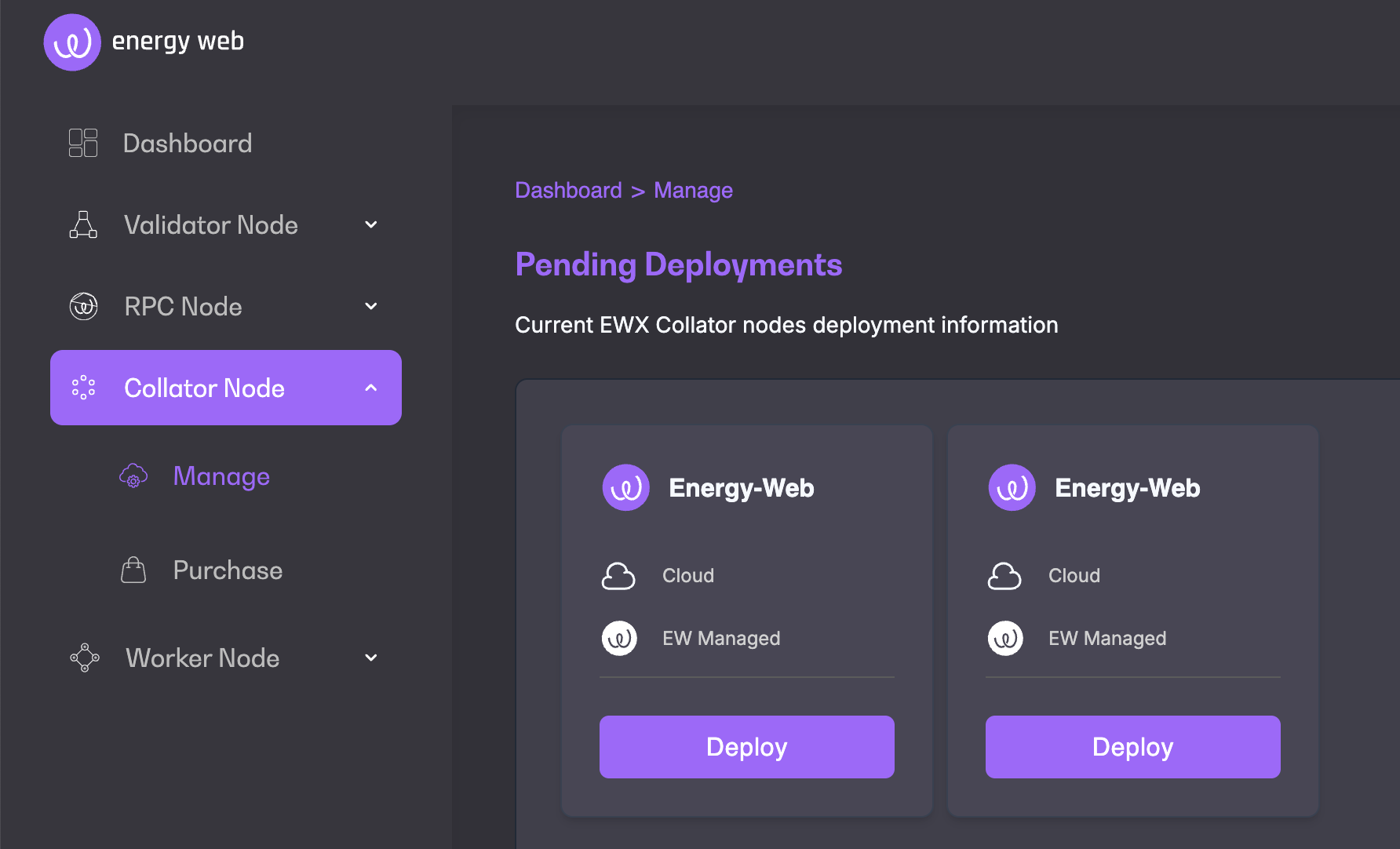
Page describes what is a EWX Collator Node
A Collator node is a Polkadot Substrate–based node on Energy Web X responsible for block production and participation in consensus. Collators author blocks, validate state transitions, and finalize on-chain activity, including workloads and economic settlement related to the Verified Compute Cloud.
Collators secure the network through a combination of self-stake and delegated stake, aligning economic incentives with correct operation and high availability. Rewards and penalties are determined by relative stake and block-authoring performance.
The Collator Node offering in Launchpad provides a Collator-as-a-Service (CaaS) experience, allowing operators to deploy and manage a production-grade collator without deep infrastructure or protocol expertise. Launchpad abstracts node provisioning, configuration, and upgrades, while enforcing secure defaults and best-practice operational parameters. This enables operators to focus on staking, monitoring, and participation in the network, rather than low-level node maintenance.
Collators maintain parachains by collecting parachain transactions from users and producing state transition proofs for relay chain validators. Collators are similar to validators on any other blockchain but they do not need to provide security guarantees because the relay chain provides those. If a parachain block is invalid, it will get rejected by validators.
Collators within the Energy Web are linked to the Energy Web X parachain.
Important information before you purchase Collator Node subscribtion
At present, Energy Web X collator slots are permissioned and limited to pre-approved operators. Before purchasing a Collator Node via Launchpad, prospective operators must first secure approval.
To initiate the process, please contact [email protected] with supporting information about your organization, operational readiness, and intended participation. Once approved, a collator slot will be reserved for you and you may proceed with deployment via Launchpad.
A Collator node participates in protocol operations that span three interconnected chains:
Energy Web Chain (EWC)
Energy Web X (EWX)
Ethereum
For the Launchpad Collator-as-a-Service (CaaS) offering, the initial EWC-side token allocation is handled automatically as part of the managed setup. However, operators are responsible for ensuring that the EWX and Ethereum accounts are correctly funded at all times.
This includes:
Maintaining the minimum required self-stake and operational balance on EWX
Maintaining sufficient ETH on the collator’s Ethereum (EVM) address to cover bridge-related and cross-chain operational costs
Detailed and up-to-date token requirements for each chain are documented here:
While Launchpad may provide alerts when balances fall below recommended thresholds, ongoing balance management, particularly on Ethereum, remains the operator’s responsibility, and timely top-ups are required to ensure uninterrupted operation.
This section outlines the technical prerequisites and responsibilities for operating a Collator node on Energy Web X. It is intended as a reference and should be read alongside the Quick Start guide.
Note Procedural, step-by-step instructions for deployment and onboarding are intentionally excluded here and are covered elsewhere.
Energy Web X supports two collator deployment models, each with different technical responsibilities.
Energy Web Managed Cloud (CaaS)
When using the Launchpad Collator-as-a-Service (CaaS) offering:
Infrastructure provisioning, OS configuration, binaries, and networking are managed by Energy Web
Operators are not required to provision hardware, install node software, or manage session keys manually
Operators remain responsible for:
This model is recommended for operators who want a production-ready collator without maintaining low-level infrastructure.
Self-Hosted Collator
When operating a self-hosted collator, the operator assumes full technical responsibility for infrastructure, software, keys, and uptime.
Self-hosted collators must meet minimum infrastructure requirements, including:
Operating system: Ubuntu LTS
Compute & storage: Sufficient CPU cores, memory, and SSD capacity to maintain a full archival node
Network: Reliable, low-latency connectivity with required P2P ports open for:
These requirements ensure timely block production, synchronization, and network participation.
All collator operators must manage the following cryptographic identities:
One Substrate collator address (EWX)
One Ethereum (EVM) address, including its compressed public key
Four distinct session keys, used to separate node responsibilities (best practice):
Secure key storage and separation of operational keys are mandatory to reduce the impact of compromise.
Collator operation depends on reliable access to external network endpoints, including:
EWX bootnodes for parachain connectivity
Ethereum mainnet RPC for bridge-related operations
Energy Web Chain RPC for EWC interactions
Operators are encouraged to use dedicated RPC providers for production deployments to avoid rate limits and service degradation.
Before a collator can participate fully in network operations:
The minimum required self-stake must be bonded on EWX
Session keys must be registered on-chain
Inclusion in the active collator set depends on total stake (self-stake plus delegation)
Meeting the minimum bond alone does not guarantee active participation if the active set threshold is not met, see for details.
Token balances
Governance and staking actions
Ongoing operational monitoring and responsiveness
Parachain communication
Polkadot relay chain communication
aura
audi
imon
avnk
This page will guide you through the steps of purchasing a Collator node subscription and setting up your node. You cannot set-up nodes on Launchpad without an active subscription.
Purchasing a subscription is the first step to setting up your Collator node(s) on the Energy Web X Parachain. Follow the steps below to subscribe.
Login to Launchpad with your account or create an account
Switch to the VaaS environment of Launchpad using the toggle on the top right of the Launchpad screen.
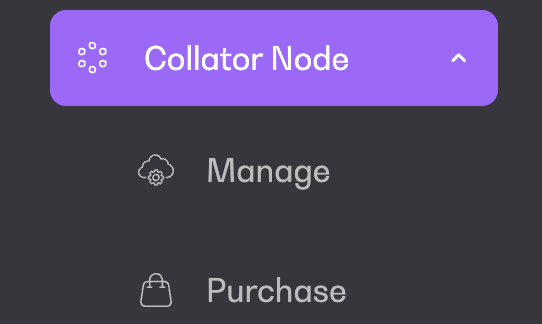
Under Node in the left hand bar menu, go to "Purchase"
Currently, you can only purchase a Collator node with EW managed cloud. Chose the number of nodes you would like to purchase.
Validate your choice by clicking on "Subscribe". This will take you to the payment screen.
Once your payment is validated, your subscription is active and you can start setting up your nodes.
Once your subscription is active, follow the steps below to set-up and manage your nodes.
Under Collator Node, go to "Manage". You will see your purchased bundle of nodes that are ready for deployment.
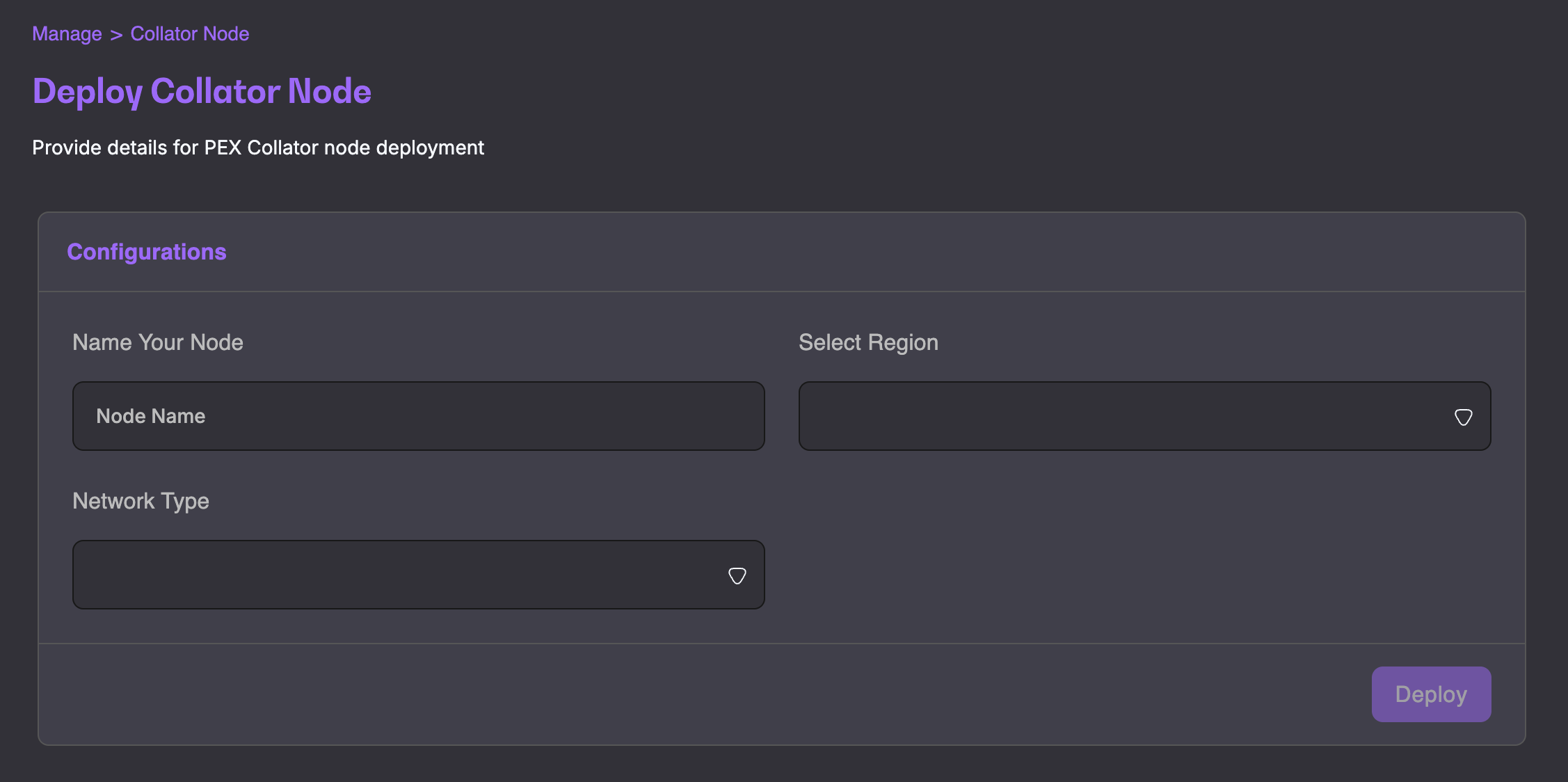
Click Deploy
Fill in the necessary configurations details and go to Deploy
You will find your newly deployed node under Collator Nodes by clicking Manage.
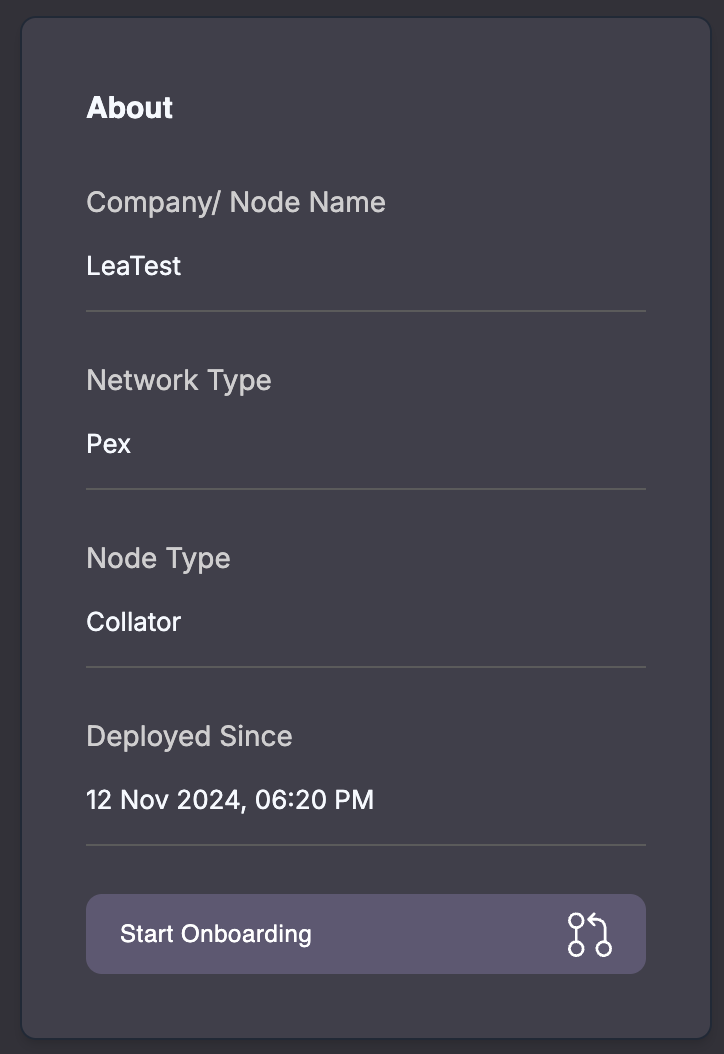
You can access more information about your collator node details by clicking on View Details when in the manage view.
This section will include all general and specific details about your node and will allow you to kick off and track onboarding.
You can also view Node Analytics, such as Network Type, On-Chain Metrics, Logs and Alerts at any time by clicking Monitor Node.
A Collator node progresses through multiple independent statuses during setup and onboarding. These reflect infrastructure provisioning, chain synchronization, and onboarding state.
The node status reflects the state of the underlying infrastructure managed by Launchpad.
Requested The node deployment has been initiated and infrastructure provisioning is in progress.
Provisioning (automatic) Launchpad provisions and configures the collator environment. No operator action is required.
Ready Infrastructure provisioning is complete. The node is operational and able to begin chain synchronization.
The sync status indicates whether the node has fully synchronized with the Energy Web X network.
N/A The node is not yet ready to begin syncing (infrastructure provisioning not complete).
Syncing The node is actively synchronizing with the EWX network. This process can take up to 48 hours or longer, depending on network conditions.
Synced The node is fully synchronized and ready for onboarding.
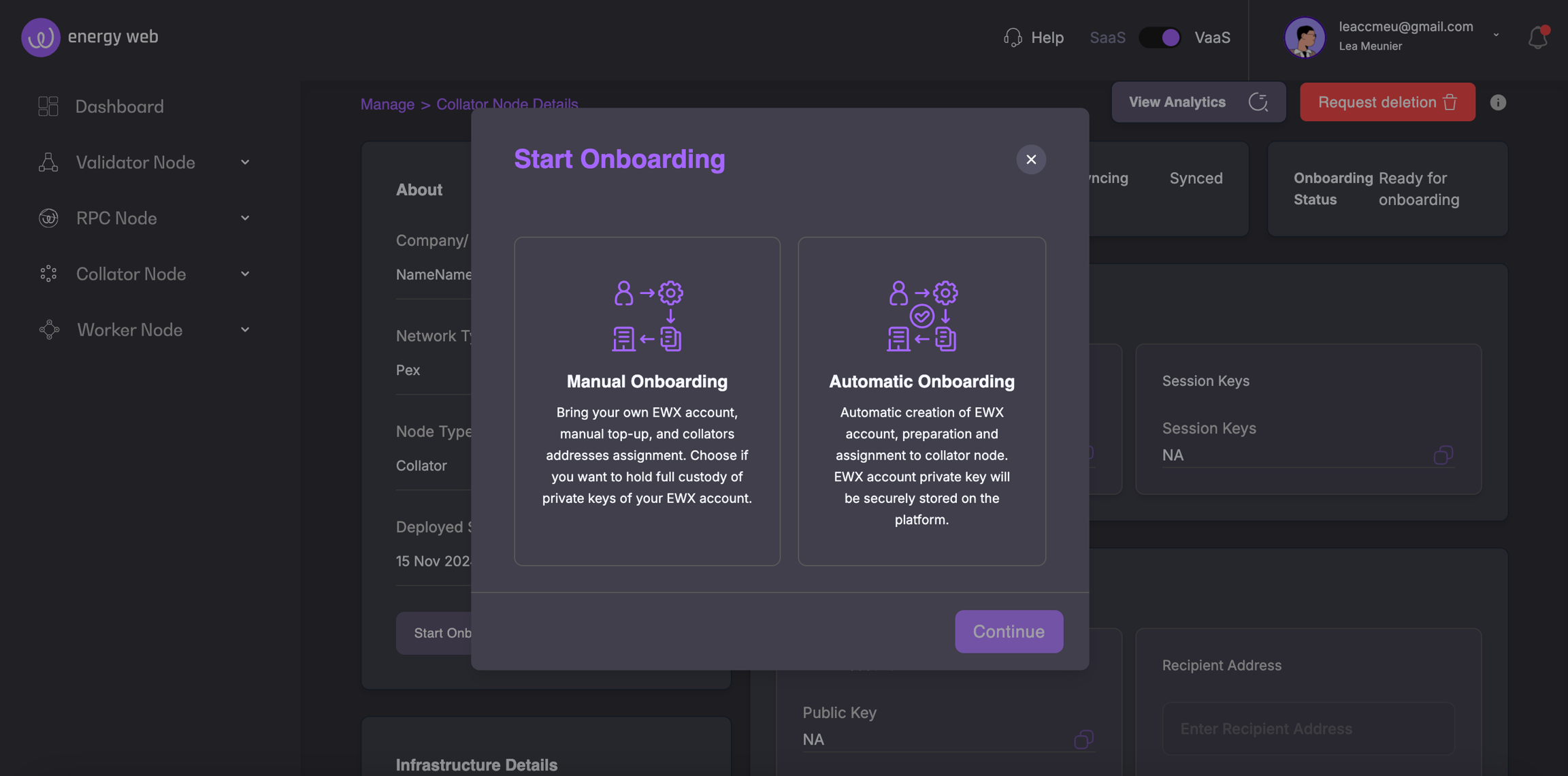
Once the Collator node is deployed and synced, the onboarding process can be initiated by clicking Start Onboarding in the About section of the Collator node's Details page.
You can choose between Manual onboarding and Automatic onboarding.
Manual onboarding is intended for operators who want full control and custody over their Collator accounts and keys.
With manual onboarding, the operator:
Brings their own EWX account
Manages token funding across chains
Executes and self-validates required on-chain actions
Launchpad guides the operator step by step and validates progress where possible.
Manual Onboarding Steps:
Import EWX Account
The operator imports an existing EWX account address, holding a minimum of 5010 EWT (see for details).
Launchpad verifies on-chain state to ensure the account exists and is active.
Upon completion, click Request Collator Authorization for the Collator node to be authorized and registered to enter the candidate pool. You will be informed via email when your Collator is ready and the onboarding status within the Details page will change to Ready.
Note: Automatic onboarding is temporarily suspended.
With the Automatic onboarding, all the necessary steps will be automatically done by the Launchpad platform, allowing you to get started immediately with your Collator node.
With automatic onboarding:
Launchpad performs all required steps automatically
Account setup, key assignment, and validation are handled by the platform
No manual on-chain actions are required
Once all steps are complete, the operator can click Request for Collator Authorization.
The operator will be notified by email when the Collator is ready, and the onboarding status in the Details view will update to Ready.
Failed The deployment or initialization process failed and the node is not operational. Manual intervention or redeployment is required.
EVM Account Funding (self-validated)
The operator must ensure the following EVM accounts are funded:
EWC EVM account: 1 EWT
Ethereum EVM account: 0.15 ETH
The operator confirms completion by manually validating and checking the corresponding confirmation boxes.
Session Key Assignment (set_keys)
The operator executes the set_keys transaction using their EWX account.
First, make a copy of the Collator node's Session Key Hex displayed in the Session Key field in the Collator Node ⇒ Details page.
To do so, navigate to , ensure you connect with the EWX Collator account from Step 1.
Select Developer ⇒ Extrinsics
Choose the EWX Collator account in the account field
This step must be completed and self-validated by the operator.


Select the following module and call: session ⇒ setKeys(keys,proof)
Input the copied Session Key Hex into the keys: EwParachainRuntimeSessionKeys field.
Input 0x0 in the proof: Bytes field.
Submit transaction and sign with the collator account.