> For the complete documentation index, see [llms.txt](https://docs.energyweb.org/llms.txt). Markdown versions of documentation pages are available by appending `.md` to page URLs; this page is available as [Markdown](https://docs.energyweb.org/launchpad/generic-and-energy-services/green-proofs-as-a-service/green-proofs-as-a-service-gpsaas-benefits.md). Agents can also search and read this documentation through its [MCP server](https://docs.energyweb.org/~gitbook/mcp).
# Green Proofs as a Service (GPSaaS): Benefits
Green Proofs as a Service is now available for companies of all sizes to use. The main benefit and goal for it is to have an independent platform assessing emission reductions that happen through a product, a service or process. So far we have built use cases for the aviation industry in alternative fuel usage, as well as the emission savings caused by the usage of low-emission fuel in the maritime industry. You can check out more information related to that [here](https://docs.energyweb.org/legacy-documentation/solutions-2023/green-proofs.md)
The main advantage of using GPSaaS is that you can test proof of concept at a fraction of the cost and time of what would otherwise take, and brings you closer to a decision in terms of a full-fledged platform.
It takes less than **10 minutes to create a registry using** the customization flow!
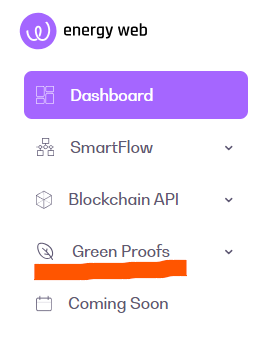
You can use the GP SaaS solution, by going to the launchpad application and click on the Green Proofs button on the sidebar
There are two major areas that you need to have in mind when creating the Green Proof Registry using our service which we will dive into separately:
1. The functionalities that any registry that you create offers
2. Customization of the registry through the service itself (with more and more of the registry becoming customizable in the future)
To access the registry creation you will first need to subscribe to one of our tier subscriptions. If you are a member, this service is free for the first 2 months, and if want to have a demo of the platform before subscribing, we are more than happy to provide you one by writing a request[ here](https://energyweb.zendesk.com/hc/en-us/requests/new).
Feel free to provide any suggestions or feedback at [mihai.hrimiuc@energyweb.org](mailto:undefined) with the title "GPSaaS Feedback/Suggestions".
---
# Agent Instructions
This documentation is published with GitBook. GitBook is the documentation platform designed so that both humans and AI agents can read, navigate, and reason over technical content effectively. Learn more at gitbook.com.
## Querying This Documentation
If you need additional information that is not directly available in this page, you can query the documentation by asking a question.
Perform an HTTP GET request on the following URL with the `ask` and `goal` query parameters:
```
GET https://docs.energyweb.org/launchpad/generic-and-energy-services/green-proofs-as-a-service/green-proofs-as-a-service-gpsaas-benefits.md?ask=&goal=
```
`ask` is the immediate question: it should be specific, self-contained, and written in natural language.
`goal` is what the user is ultimately trying to achieve, the reason they need the answer. Sharing it helps GitBook give you a better, more relevant answer. A goal is most helpful when it describes the outcome the user wants rather than restating the question. For example, with `ask=how do I create an API token`, a goal like `automate deployments from our CI pipeline` lets GitBook tailor the answer to that use case.
The response will contain a direct answer to the question and relevant excerpts and sources from the documentation.
Use this mechanism when the answer is not explicitly present in the current page, you need clarification or additional context, or you want to retrieve related documentation sections.